

What Actually Happens After You Launch an App
Most advice about app maintenance says the same thing: budget 15 to 20 per cent of your build cost each year for bug fixes, security updates and new features.
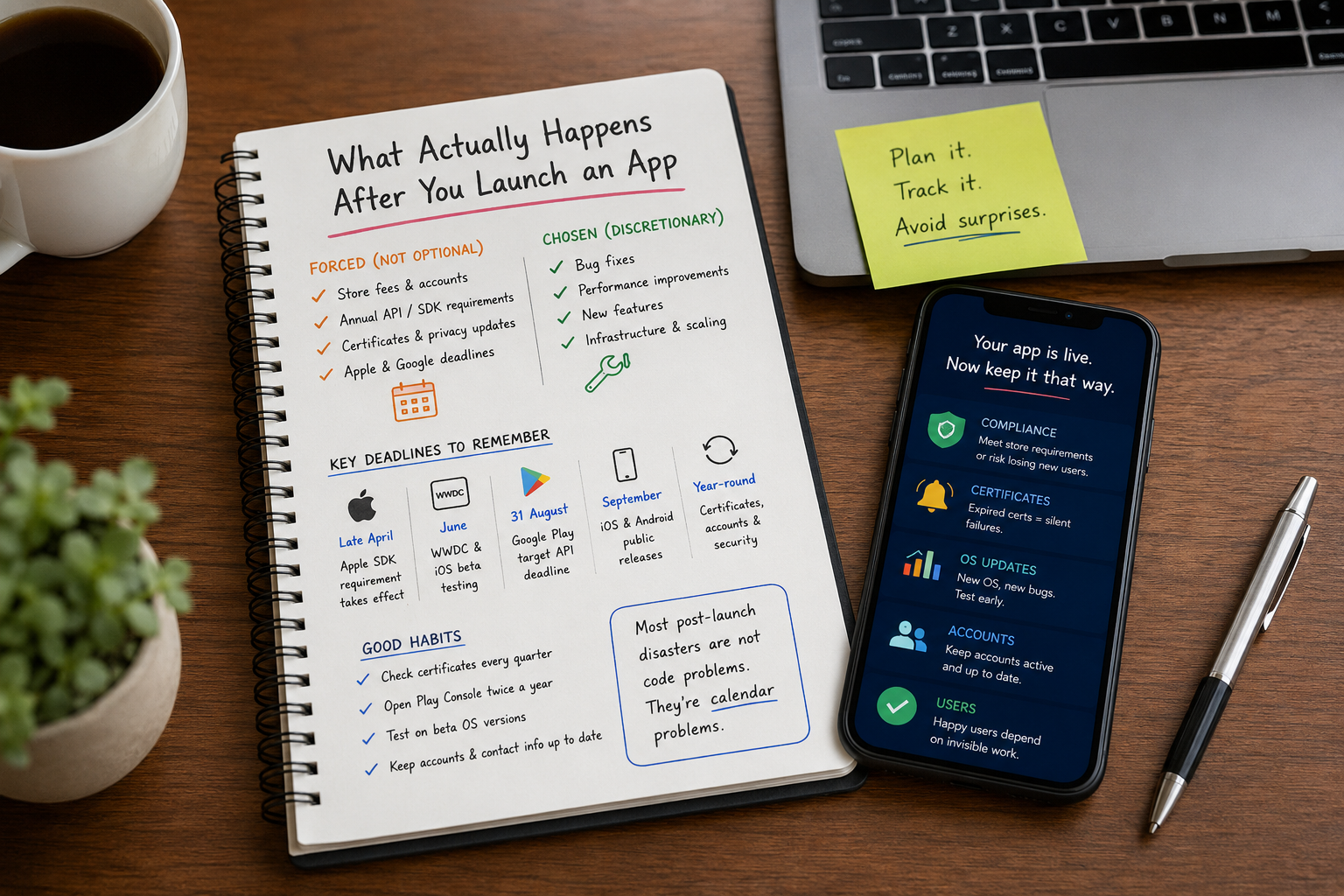
That advice isn’t wrong, but it describes maintenance as something you choose to buy. A large part of it isn’t optional at all. Apple and Google both run published, dated schedules of things your app must do to stay in their stores, and missing one has consequences you cannot appeal.
Here is what happens after you launch an app, and when.
Two budgets, not one
Post-launch work splits into two budgets that behave completely differently.
The forced budget covers store fees, annual API and SDK requirements, certificate renewals and privacy declarations. You pay this even if you never add another feature, and it runs on Apple’s and Google’s calendars rather than yours.
The chosen budget covers bug fixes, performance work, new features and infrastructure. This is genuinely discretionary, and it is what the 15 to 20 per cent rule of thumb actually measures.
Confusing the two is why post-launch budgets get blown. Founders plan for the second and get ambushed by the first.
Google Play’s target API deadline
Google requires almost every app on Play to target a recent Android API level, and raises the bar every year. The current requirements take effect on 31 August 2026.
New apps and app updates must target Android 16 (API level 36) or higher. Existing apps must target Android 15 (API level 35) or higher to remain available to new users on devices running a newer Android version than the app targets.
If your app misses the bar it isn’t deleted. Something quieter happens: it stops being discoverable to users on newer devices. Google’s documentation describes what those users see when they follow a link to your store page, which is a message saying the app is not available to install because it was made for an older version of Android.
Users who already installed the app are unaffected. So your support inbox stays quiet while new installs flatten, and unless someone is watching acquisition by OS version, the cause is genuinely hard to spot.
Google allows an extension to 1 November 2026 if you need more time, available through the Policy status page in Play Console for apps already flagged as non-compliant.
The important part is not this year’s number. It is that there is always a number, it rises every year, and the deadline lands at the end of August.
Apple’s annual SDK requirement
Apple runs the same pattern on a different schedule. Since 28 April 2026, apps uploaded to App Store Connect must be built with Xcode 26 or later, using an SDK for iOS 26, iPadOS 26, tvOS 26, visionOS 26 or watchOS 26.
The rhythm is obvious once you look at it. Xcode 14.1 became mandatory on 25 April 2023, Xcode 15 on 29 April 2024, Xcode 16 on 24 April 2025, Xcode 26 on 28 April 2026. Late April, every year.
This one carries a hidden dependency. Xcode 26 needs a Mac running macOS Sequoia 15.6 or later, so if your build machine or CI runner is on an older macOS you cannot simply install the new Xcode. That turns a recompile into an infrastructure job, and it is why April deadlines get missed by teams who assumed it was a five-minute change.
Unlike Google’s rule, this applies to submissions rather than to live apps. An approved app stays on the App Store. But you cannot ship a bug fix without meeting the requirement, so an urgent patch can be blocked by a toolchain upgrade you haven’t done.
The two store accounts
The Apple Developer Program costs $99 per year, renewable from 30 days before expiry. If you let it lapse, Apple is explicit: your apps are no longer available for download, you cannot submit updates, and you lose access to Certificates, Identifiers and Profiles. Apps already installed keep working, but your store listing is gone.
Renewing restores free apps within about 24 hours. Paid apps return once you accept the Paid Applications Agreement in App Store Connect. Still, that is a day or more of your app being invisible because of a card that may have been added by someone who has since left.
Google Play charges a one-time $25 registration fee rather than an annual one. That is not the same as nothing to worry about, and this is the obligation almost nobody knows exists.
Google closes inactive developer accounts and does not refund the fee. Your account is a candidate if all of these are true:
- It was created more than a year ago
- Your published apps have fewer than 1,000 combined lifetime installs
- Your phone number and contact email are unverified
- Nobody has opened Play Console in 180 days
Read that list against a small app you launched, finished, and stopped thinking about. It describes that app exactly. Signing in twice a year and keeping your contact details verified is the entire mitigation.
The silent killers
This is the category nobody warns you about, and the one that produces the strangest bug reports. Certificates expire on a schedule, and when they do the failure is usually silent. No store notification, no user complaint that identifies the cause.
Apple’s own documentation sets out what breaks:
| What expires | What actually happens |
|---|---|
| Push notification certificate | You can no longer send push notifications to your app |
| Distribution certificate (App Store) | Live apps are fine while your membership is valid, but you cannot upload new versions signed with it |
| Distribution certificate (in-house) | Users can no longer run the app at all |
| Apple Pay processing certificate | Apple Pay transactions in your app and on your website fail |
| Pass Type ID certificate (Wallet) | Existing passes work, but you cannot sign new ones or send updates |
To that list add one Apple doesn’t own: the SSL certificate on your own backend. When it lapses your API stops being reachable and the app appears broken with no app-side change at all.
The push notification case deserves attention because of how it presents. Notifications simply stop. Engagement drops. Nobody files a bug, because no user ever complains about a notification they didn’t receive. Teams have chased this for weeks as a retention problem before someone checked an expiry date.
There is a permanent fix. Apple supports APNs authentication keys as an alternative to push certificates, using a signing key which, in Apple’s own words, never expires. The key is included with your membership. If you are still on certificate-based push, migrating removes one silent failure mode for good.
The annual OS cycle
The two platforms no longer run the same schedule, which is a planning trap in itself.
Apple previews at WWDC in June and ships publicly in September, and adoption is fast. Measured in June 2026, Apple reported 79 per cent of all iPhones running iOS 26. A regression that only appears on the newest OS reaches most of your users quickly.
Android moved earlier. Android 16 shipped in June 2025, with its developer preview the previous November. If you are still planning Android testing around September, you are a quarter late.
The same things break each year. Permission prompts fire at a different moment or stop firing. Background work gets throttled. Notifications look wrong or don’t arrive. Anywhere you leaned on default system styling, the default changed.
Test during the beta window. A planned regression pass costs a fraction of the same work done as a hotfix once your users are already on the new OS.
Your post-launch calendar
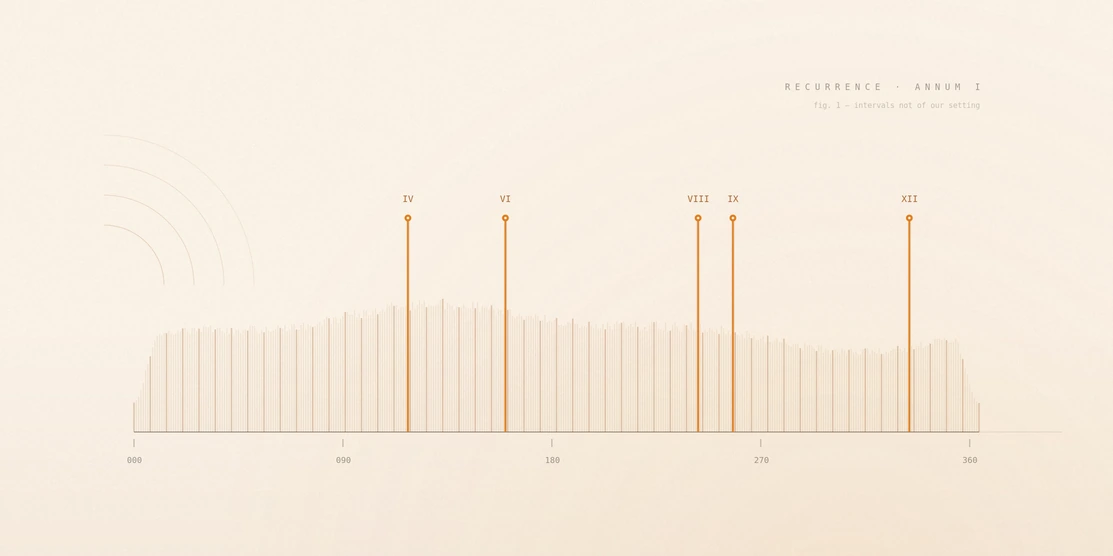
The most useful thing you can do after launch is turn all of this into recurring calendar entries owned by a named person.
| When | What |
|---|---|
| Late April | Apple’s SDK requirement takes effect. Check your toolchain and macOS version first |
| June | Apple previews the next OS at WWDC. Start your regression pass on the beta |
| 31 August | Google Play’s target API level deadline |
| September | Apple’s public OS release. Watch crash rates by OS version |
| Q4 to Q2 | Android’s cycle, preview through to release. Don’t plan around September |
| Your renewal date | Apple Developer Program renewal. Remind 45 days out, check the card on file |
| Twice a year | Open Play Console, confirm phone and email are verified |
| Quarterly | Certificate and key expiry audit, including your backend SSL |
| On every SDK change | Re-check Apple’s privacy declarations and the Play Data Safety form |
Failures here escalate quietly. You miss Google’s deadline and new installs stop. You miss Apple’s and discover it when an urgent fix cannot be submitted. A push certificate expires and engagement declines for a month before anyone connects the two. None of these announce themselves, and all are preventable with a calendar entry.
Buying post-launch support without overpaying
If you are engaging an agency for ongoing app support and maintenance, the contract should name the compliance work explicitly. “Maintenance and support” is not specific enough to be enforceable.
Ask who is responsible for the annual Google Play target API deadline, and whether that work sits inside the retainer. Ask who upgrades the build environment when Apple’s SDK requirement changes. Ask who tracks certificate expiry dates and what happens if one is about to lapse. Ask which month the annual OS regression pass is scheduled for.
And one that matters more than the rest combined: who owns the Apple Developer account, the certificates and the signing keys, you or your agency?
If the answer is your agency, you do not fully control your own app, and ending that relationship becomes a migration project rather than a decision. The account should be registered to your company, with your agency added as a team member.
FAQs
1. Can I just not maintain my app?
Not indefinitely. You can stop adding features, but Google’s target API requirement and Apple’s SDK requirement will eventually make your app either undiscoverable to new users or impossible to update.
2. What is the minimum to keep an app alive in both stores?
An Apple Developer Program membership at $99 a year, current certificates, enough engineering time each year to bump your target API level and rebuild against Apple’s current SDK, and enough Play Console activity that Google doesn’t close your account.
3. Do I still pay if my app has no users?
Yes, and low install numbers work against you. Google’s inactive-account policy specifically targets accounts under 1,000 lifetime installs that haven’t opened Play Console in 180 days. If an app has no future, unpublish it deliberately.
4. My push notifications stopped and nothing changed in the app. Why?
Check your push certificate expiry date first. An expired certificate stops delivery with no app-side change and no visible error. Migrating to an APNs authentication key removes the problem permanently.
Conclusion
Launch is not the finish line, and post-launch work is not an optional conversation about features. It is the point at which your app joins two compliance calendars written by companies that will not consult you about the dates.
The work is predictable and the deadlines are published a year ahead. Most post-launch disasters are not hard engineering problems. They are calendar entries nobody made. If you would rather someone else owned that calendar, that is what our mobile app development and support team does.
All platform requirements above were verified against Apple and Google documentation in August 2026. These change, so check the current position before acting on them.
Sources
Every platform requirement above was checked against Apple and Google’s own documentation. These pages change — re-verify before acting on them.
What to read next
Why App Localization Plays a Critical Role in Successful Mobile App Development?
Why Should Enterprise Prioritize Web Portals Security-First Development in Today’s Digital Era?
How Local Mobile Apps Help Your Business Outsmart Nearby Competitors?
Let’s Start a discussion!
Do you have a web design idea? Want to turn your idea into a realistic website? Let’s put efforts together to get an efficient and market-ready website.